

Easy CAN
CAN analysis tool Easy CAN
Easy CAN of Peritec made, is CAN analysis tool low price using NI cRIO-CAN and ECU test systems Peritec, PCMCIA-CAN, the USB-CAN.
Function
■ CAN data transmission
― Set the period, you can send a CAN data. (Up to 30 data)
■ CAN data reception
― You can save the file CAN data in the trigger condition is met or start button.
■ CAN data display
― You can view the graph by reading the data that was saved to a file.
You can graph display in the physical value the selected signal. (CANdb files)
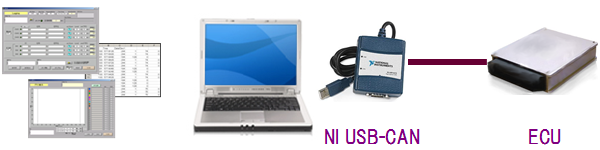
Products
| cRIO-CAN (National Institute Ltd. cRIO-CAN use) |
NI cRIO-9073 + NI cRIO-9853 (Cross LAN cable supplied with 3m) |
| PCMCIA-CAN (National Institute Ltd. PCMCIA-CAN use) |
NI PCMCIA-CAN/2 (LabVIEW source code included) |
| Software Only (LabVIEW source code included) |
|
| USB-CAN (National Institute Ltd. USB-CAN use) |
NI USB-CAN 8473 (LabVIEW source code included) |
| Software Only (LabVIEW source code included) |
Function List
| Function | cRIO-CAN | PCMCIA-CAN | USB-CAN |
| CANdb file support | |||
| File storage function of the received data | |||
| The save file start and stop function by triggering | |||
| Graph display function of the file stored data | |||
| Time stamping of saved data file | |||
| Parallel execution of transmission and reception | |||
| Periodic transmission function of the transmitted data | (※1) | ||
| Automatic increment function of the transmitted data | |||
| Physical value editing function of the transmitted data | |||
| Graph display function of the received data (physical value) |
(※1)Since I use a software timer, real-time guarantee is not.
Peritec Products
PERITEC CORPORATION
1-17-2, Kataoka,
Takasaki-city Gunma
370-0862, Japan
TEL
+81-27-328-6970
